Majewski Diagnostics for Bison
First find out the cause, then replace the part.
With Bison aerial work platforms, we read the programme directly from the control unit. We can see where it has stalled and what the machine is waiting for. We then know which part actually needs replacing.
The display indicates that a cover is open. Both covers are closed.
After switching it on, the aerial work platform stopped working. The display showed the symbol for an open access panel on the emergency control panel.
However, both access hatches were closed. The message on the display therefore did not match the condition of the aerial work platform. Checking the switches for the access hatches would not have got us anywhere in this situation.
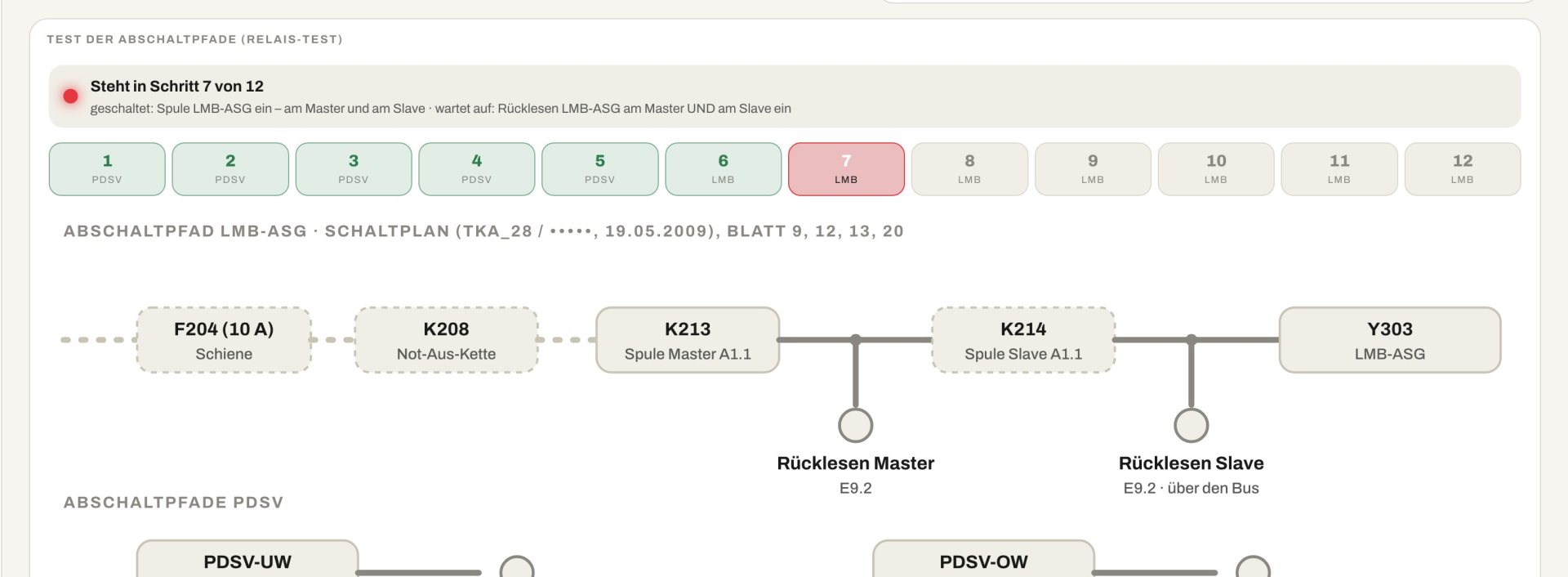
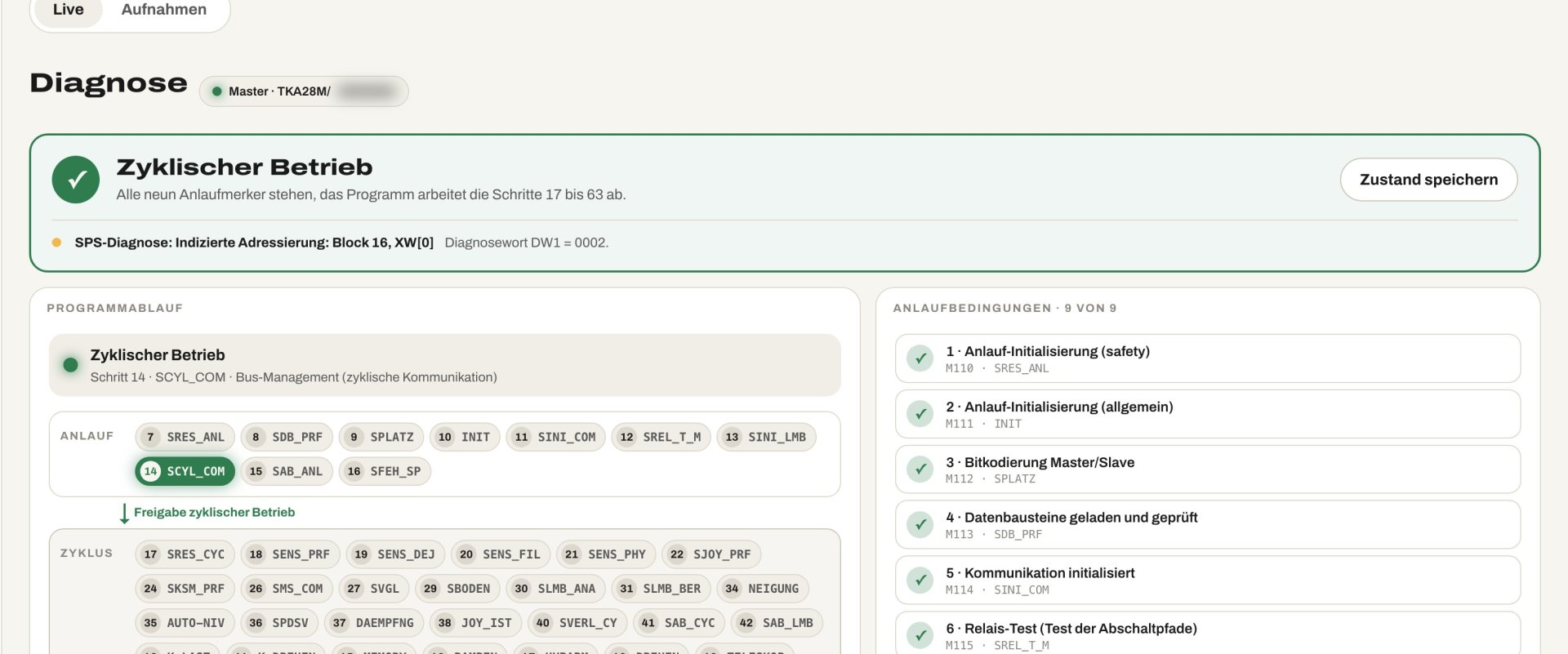
So we read out the control unit directly. The diagnostics showed that the start-up process had stalled at the relay test. Step 7 of 12. The control unit was waiting for a feedback signal that never arrived.
The cause was a relay in the shut-down circuit. Once it had been replaced, the aerial work platform was operational again. The subsequent diagnostic test showed that it was operating normally; all 12 steps were passed.
From the control programme right down to the individual LED.
The machine at a glance
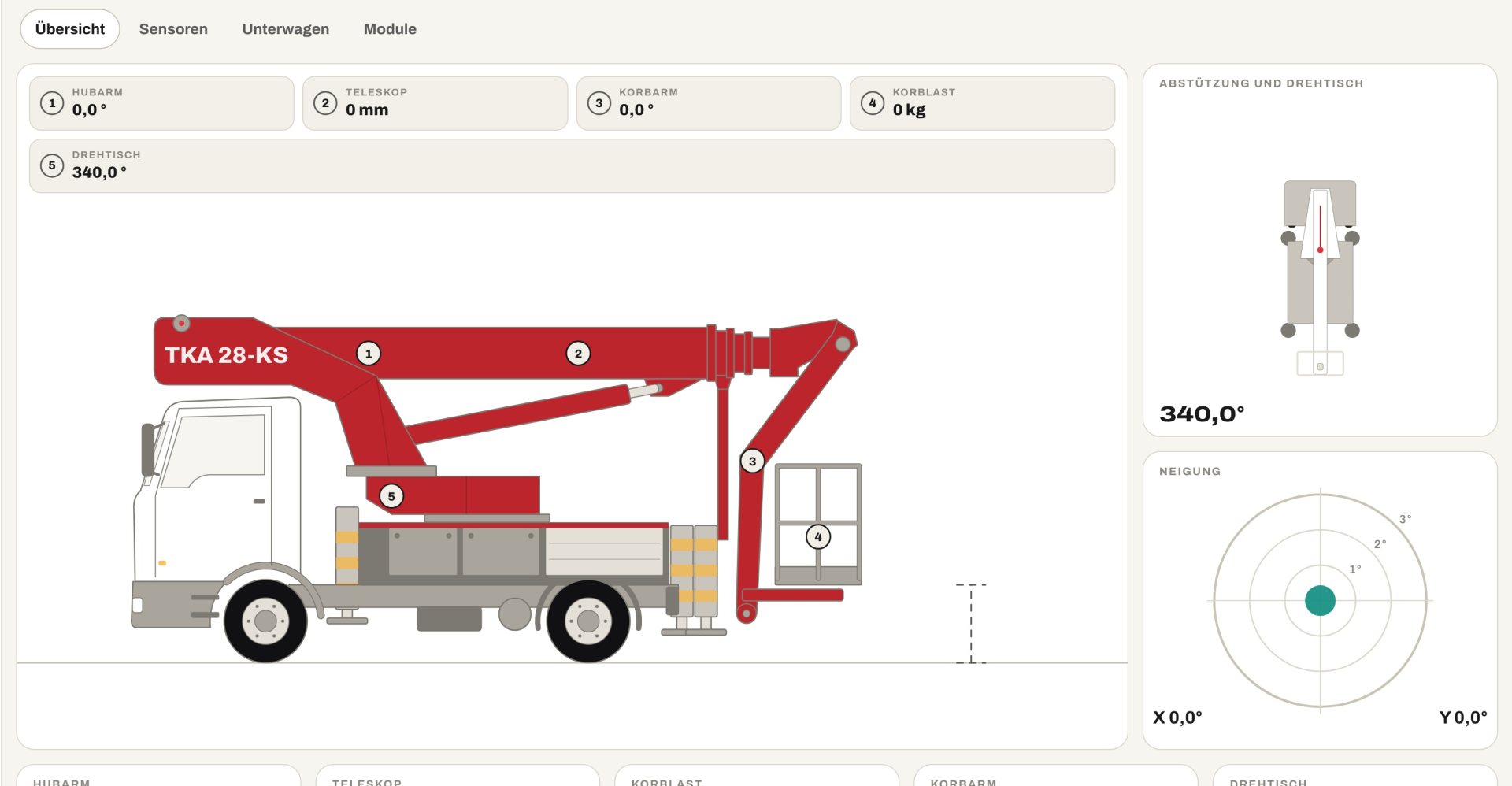
Once connected, the software recognises the machine. The values for the boom, telescopic arm, basket arm, turntable and tilt are displayed on the screen. Any pending errors appear at the top of the header bar.
Programme modules from the machine
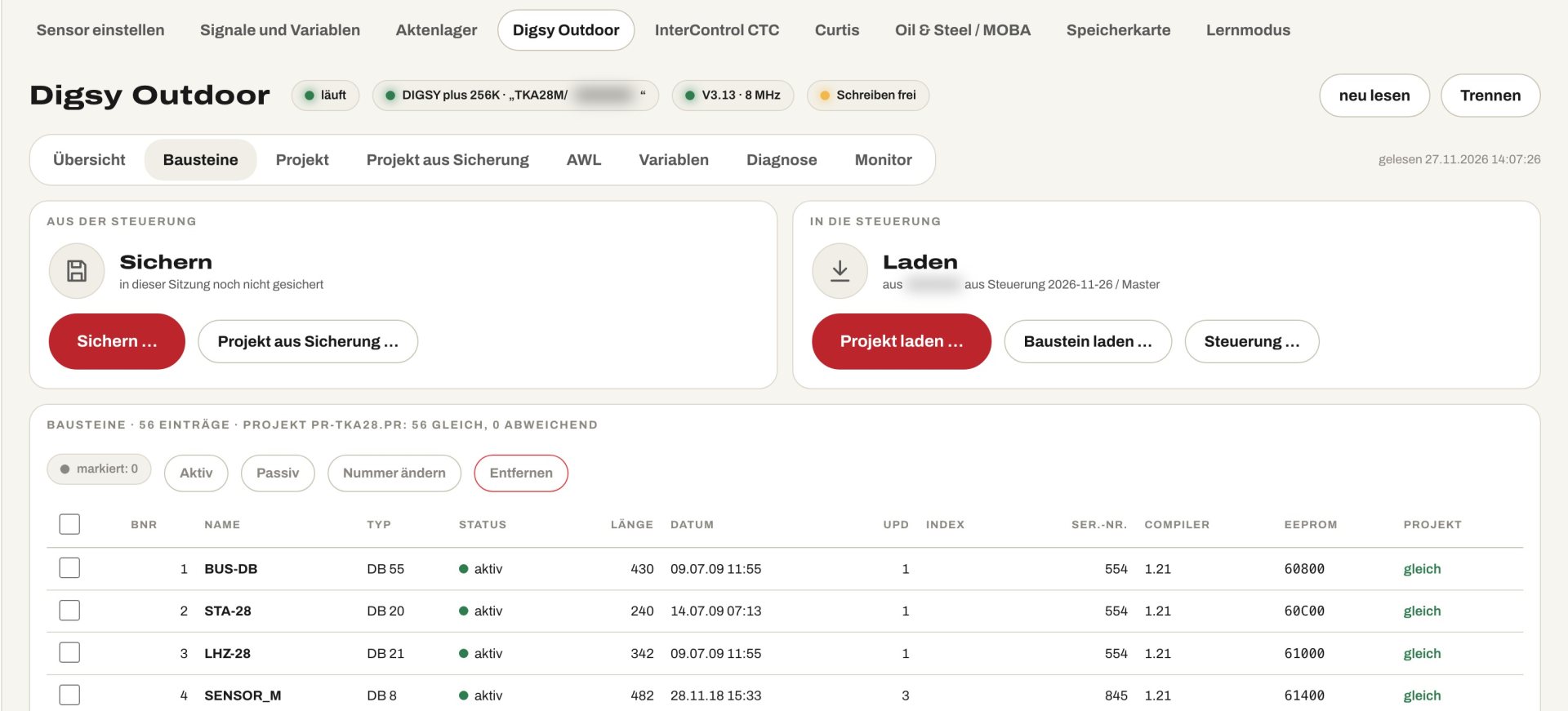
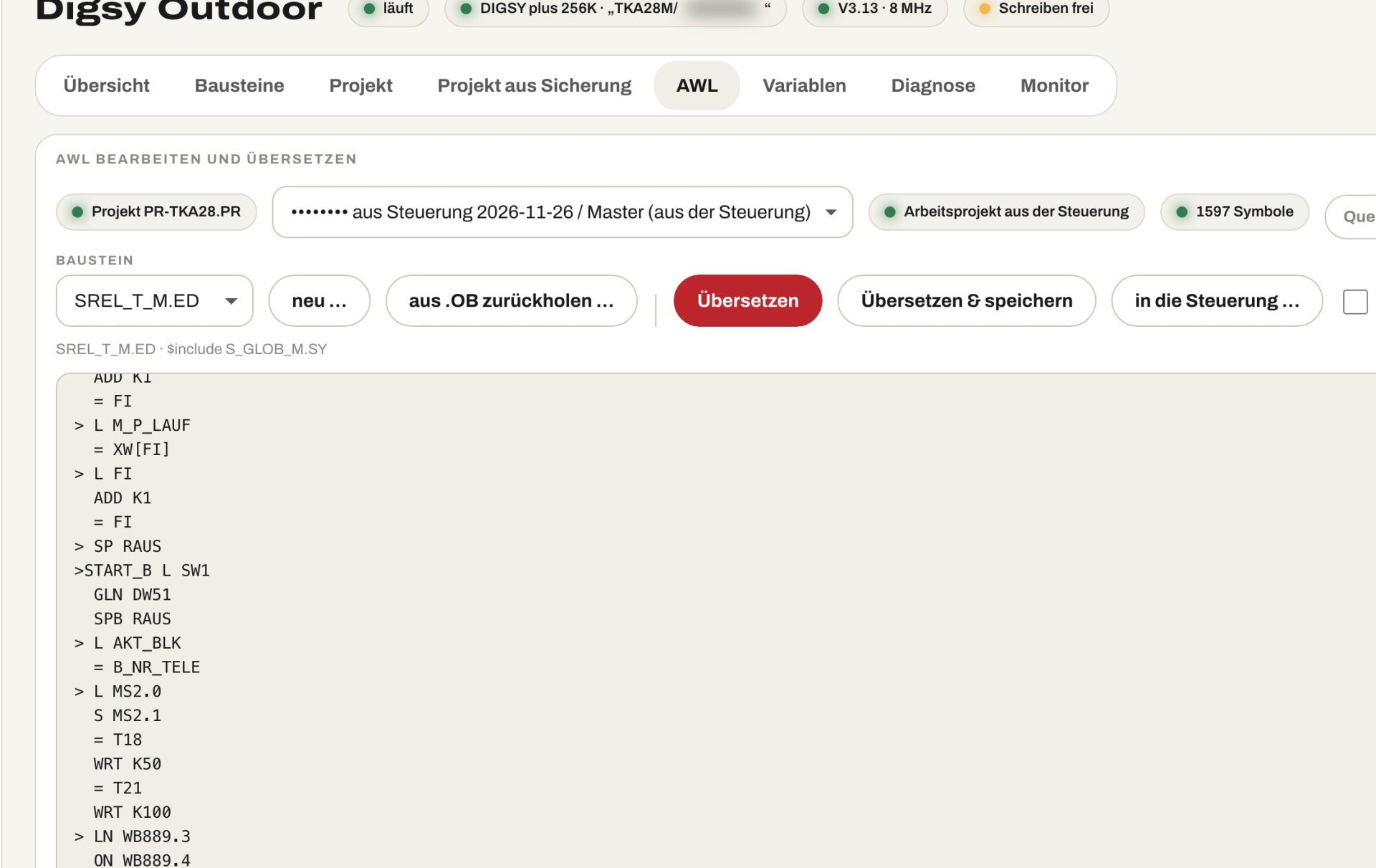
We load the programme modules directly from the control system. For this machine, there were 56 of them. This means we are working with the exact programme that runs on the aerial work platform, rather than a version from the archive.
Readable list of instructions
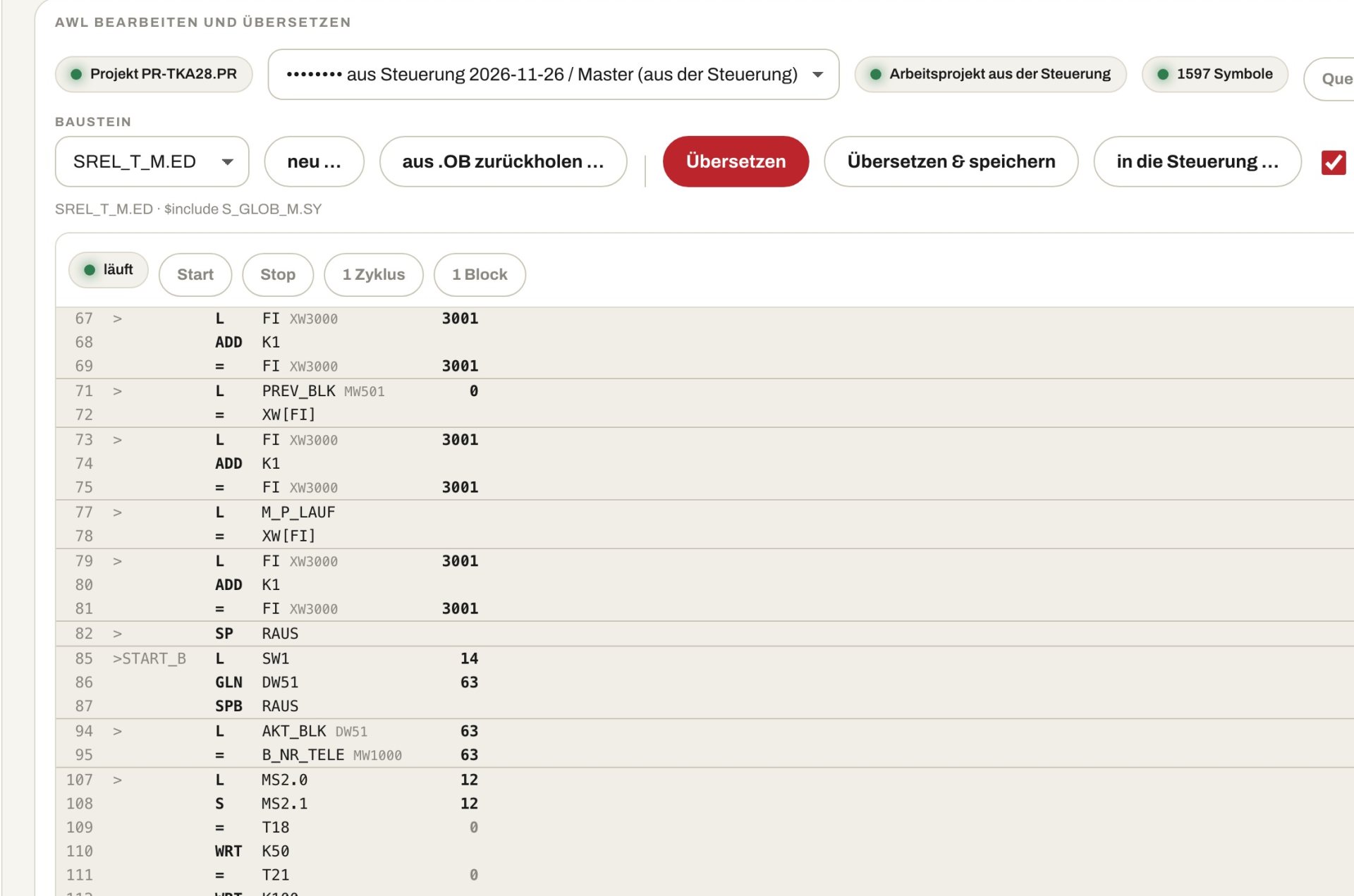
We translate the building blocks back into a list of instructions, using names instead of addresses. This makes it possible to follow, line by line, what the programme is doing at that point.
Real-time readings at every point
Next to each instruction is the current value from the machine. So we don’t just see what the programme is supposed to do; we see what it is currently doing and what it is waiting for.
Modules as found in a control cabinet
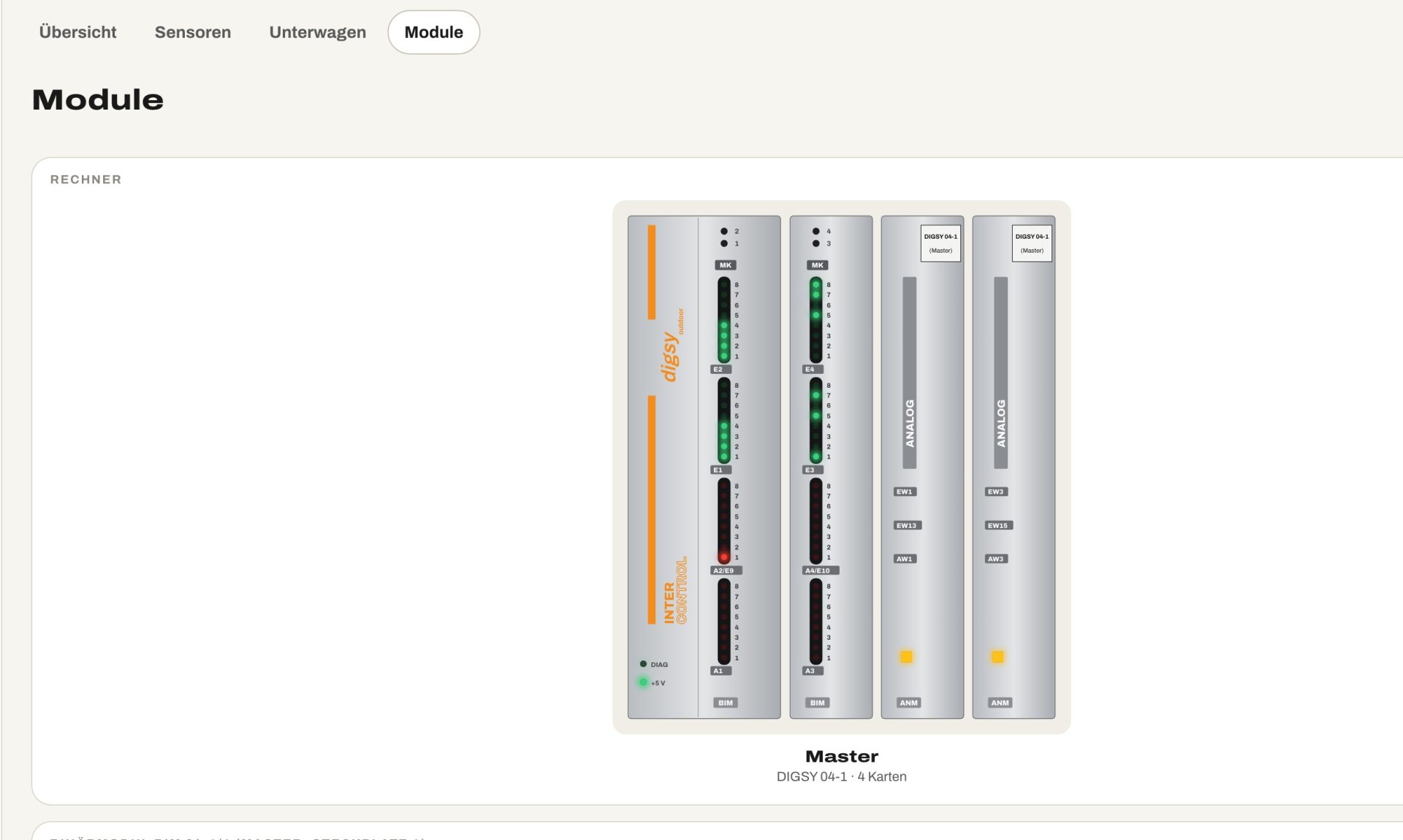
The software displays the control units and their module cards exactly as they are installed in the control cabinet. Each input and each output has its own LED and name. Whatever is lit on the unit is also lit on the screen.
The point at which the programme hangs
The diagnosis shows the sequence of events step by step after the system is switched on. If the control system stops, we can see the step and the components involved. In this case, it was the shutdown path and its relays.
Take the saved state back to the office.
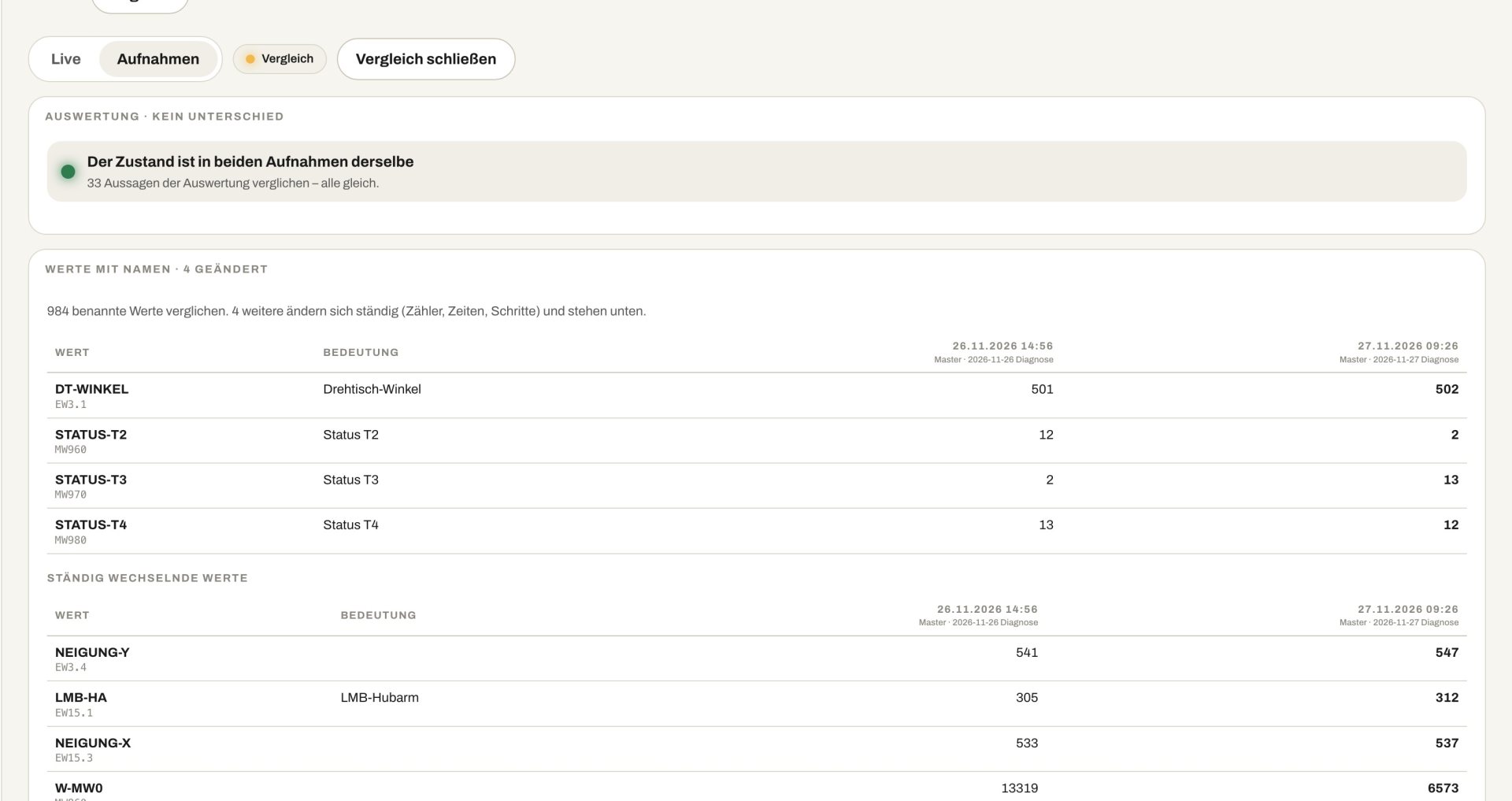
A single click saves the entire state of the control system. Over a thousand values, each with a name.
Usually, the technician finds the fault straight away on the machine. But not always. In that case, we take the saved status back to the office and carry on investigating there at our leisure. With the circuit diagram to hand, and without the machine having to be on our premises.
Two saved states can be compared with one another. The software then shows only what has changed. In the case of an intermittent error, this is often the quickest way to troubleshoot.
Bison aerial work platforms with DIGSY controls.
In practice
So far, we have been using it on the Bison TKA 28 KS and TKA 35 KS models. We will add further model ranges as soon as one of them arrives at our workshop.
One cable is all you need
The connection is established via the controller’s service interface. No modifications are made to the machine. We simply monitor the data as long as no changes are required.
Independent specialist workshop
We are an independent specialist workshop and are not an authorised partner of the manufacturer. We developed the software ourselves. Bison is a trademark of its owner.
Is your Bison aerial work platform out of action and no one can find the fault?
Please tell us what the machine does or does not do, and what is shown on the display. We’ll come to you with a laptop and the relevant software, or you can bring the aerial work platform to our workshop.